Guide
Audit log and trash
See who changed what, and restore deleted candidates and vacancies.
The audit log records what happened in your organization and who did it. The trash keeps deleted candidates and vacancies for 30 days, so a mistake can be undone. Both are for owners and admins, in Settings.
The audit log
Open Settings → Audit log.
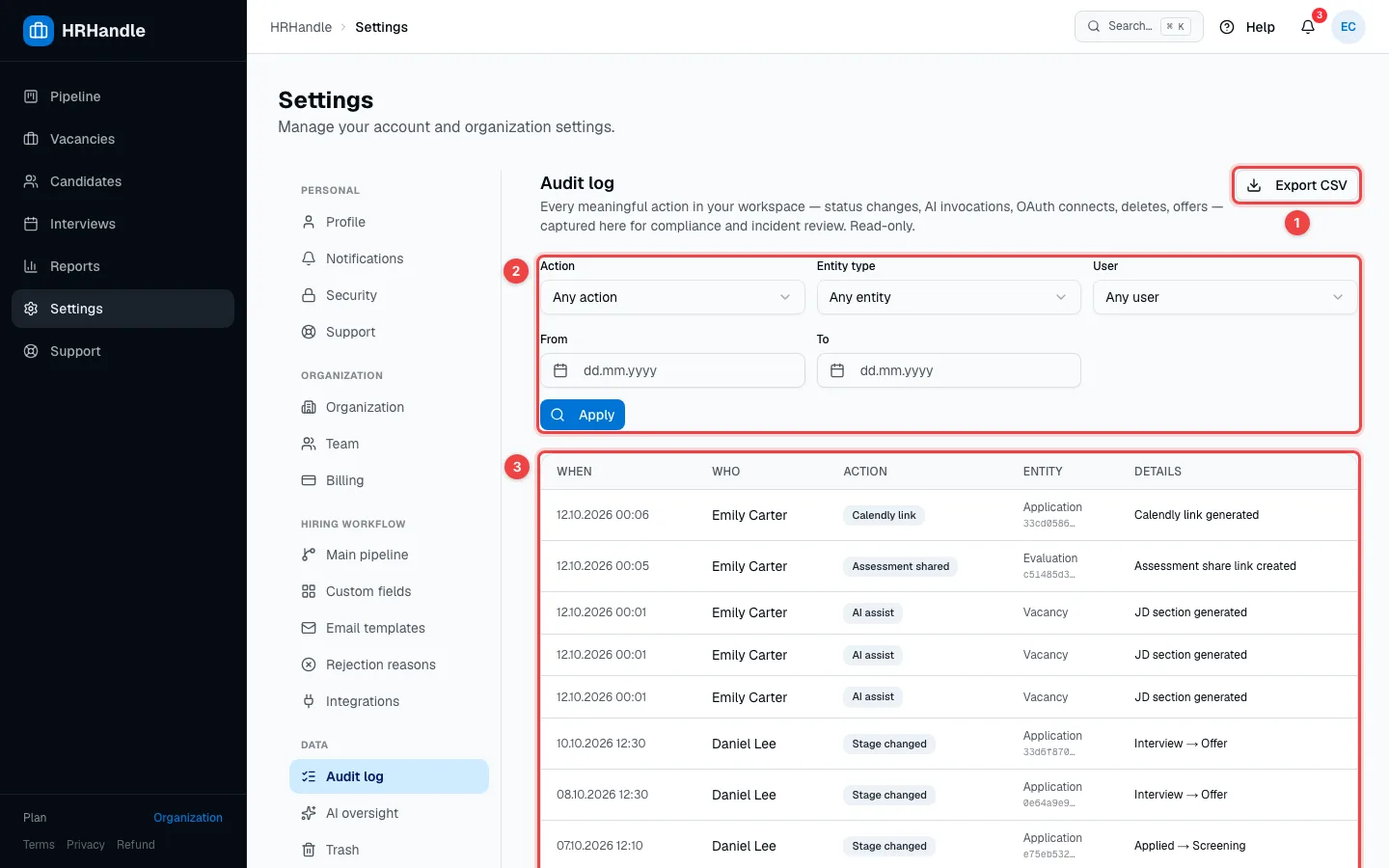
- Export CSV — download the log as a spreadsheet, with your current filters applied.
- Filters — narrow the log by Action, Entity type, User and date (From, To), then click Apply.
- The events — When it happened, Who did it, the Action, the record it concerns (Entity) and the Details, such as the stage a candidate moved from and to.
The log includes stage changes, interviews, offers, deletions and restores, imports, AI use, two-factor authentication changes, connected accounts and payments. Nobody can edit or delete it.
The trash
When someone deletes a candidate or a vacancy, it goes to Settings → Trash.
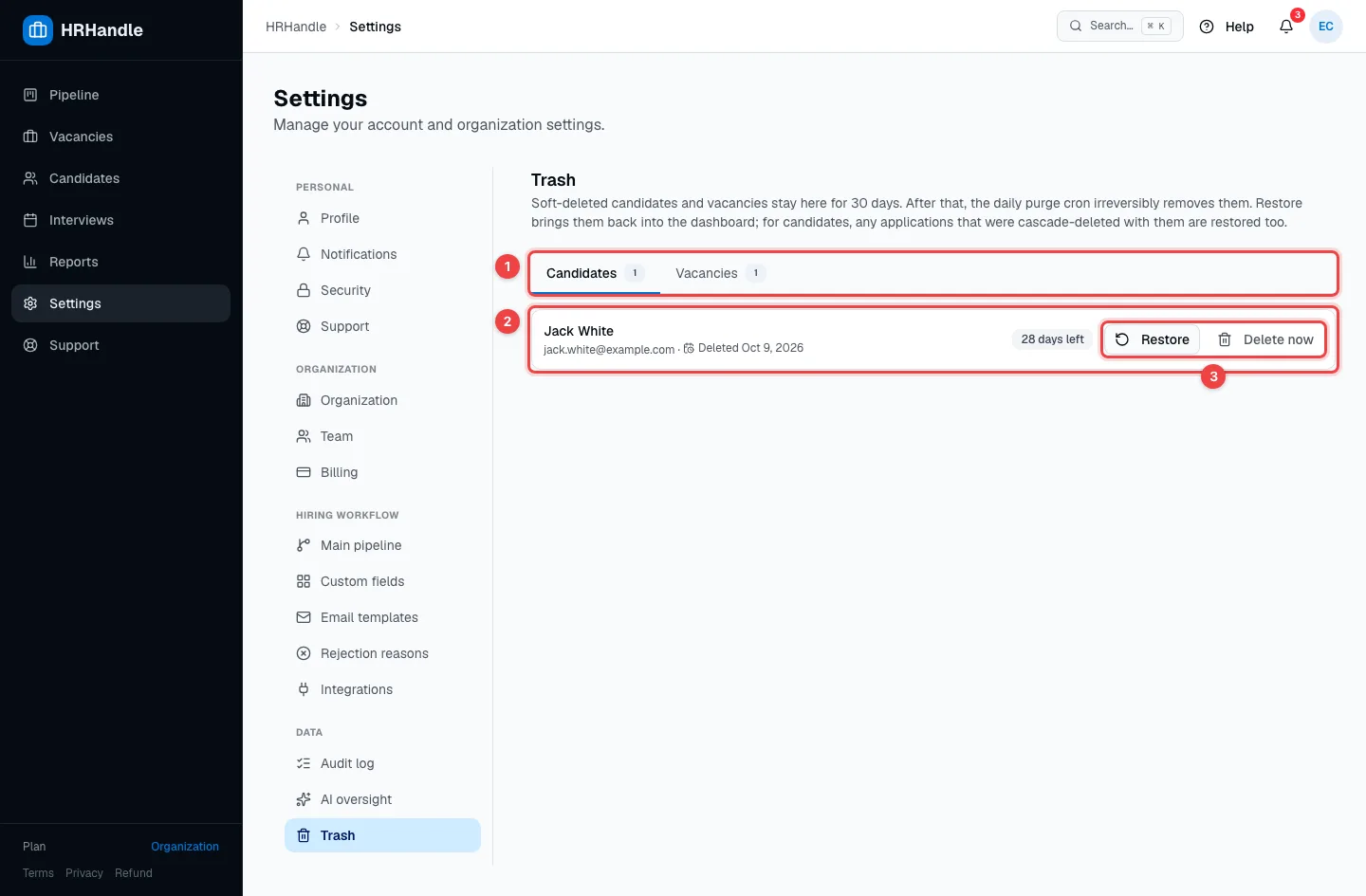
- Candidates / Vacancies — what's in the trash, with how many of each.
- A deleted item — when it was deleted and how many days are left before it's removed for good.
- Restore brings it back exactly as it was; for a candidate, their applications come back too. Delete now removes it permanently straight away, after you confirm.
After 30 days, items in the trash are deleted permanently and can't be restored.