Guide
Create a vacancy
Create a job opening in five steps, with AI help for the description and the scorecard.
A vacancy holds everything about one open role: its description, the interview scorecard, the questions candidates answer when they apply, and every application you receive. You create it in a five-step wizard. Only the position title is required, so you can fill in the rest now or come back to it later.
Open the wizard
From the sidebar, click Vacancies, then click Create vacancy in the top-right corner.
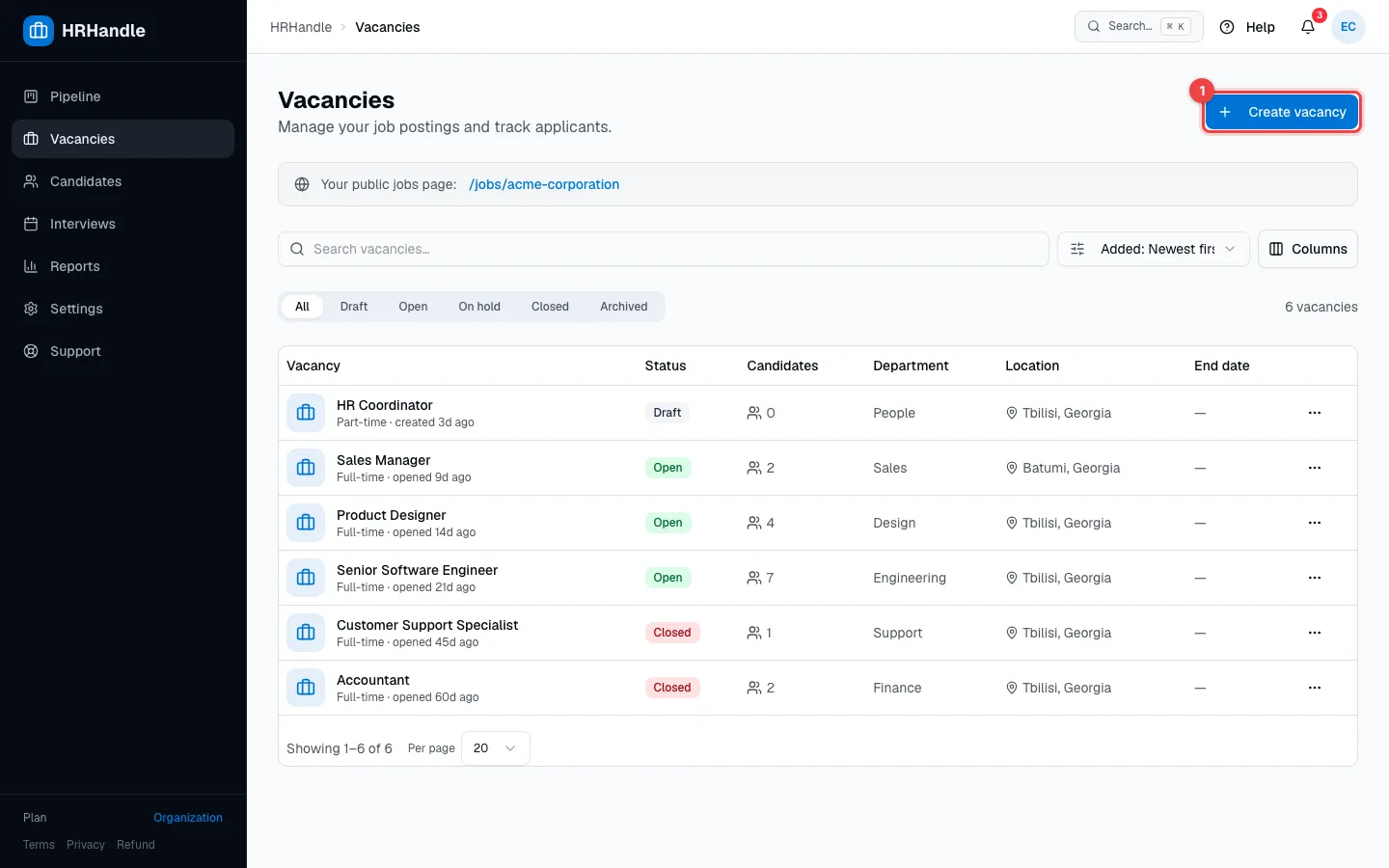
Anyone on your team can create vacancies. Every vacancy that isn't archived counts toward your plan's vacancy limit — see Plans and billing.
Step 1 — Basics
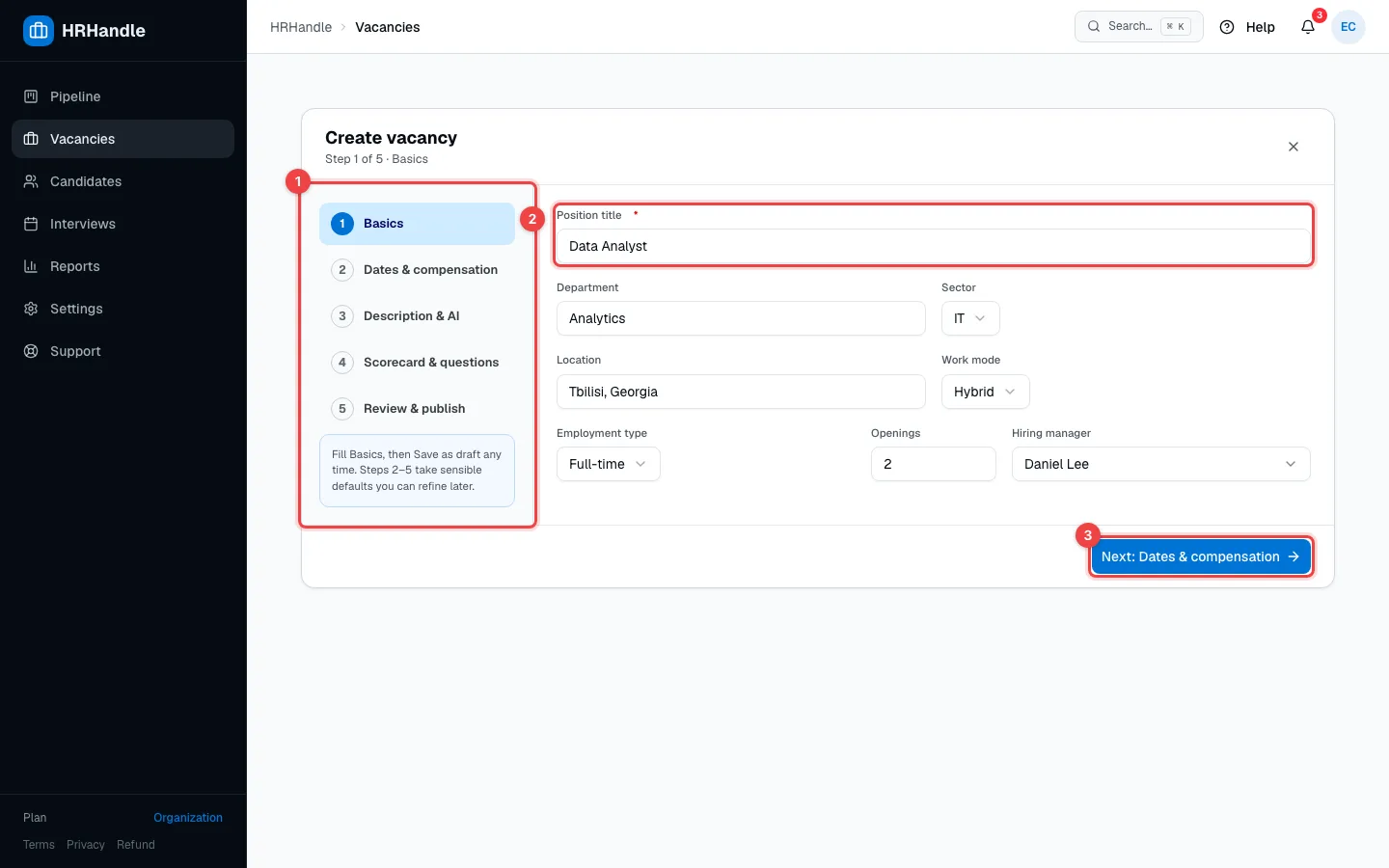
- The steps. The current step is highlighted and finished steps get a check mark. Click Back to return to an earlier step — nothing you've entered is lost.
- Position title — the only required field. Candidates see it on the apply form and on your jobs page.
- Next takes you to the next step. From step 2 on, you can also click Save as draft at any time.
The other fields are optional:
- Department and Location — shown to candidates.
- Sector — for filters and reports.
- Work mode — on-site, hybrid or remote.
- Employment type (full-time, part-time, contract or internship) — shown to candidates. Openings — how many people you want to hire.
- Hiring manager — the teammate responsible for this role. You can pick anyone on your team.
Step 2 — Dates & compensation
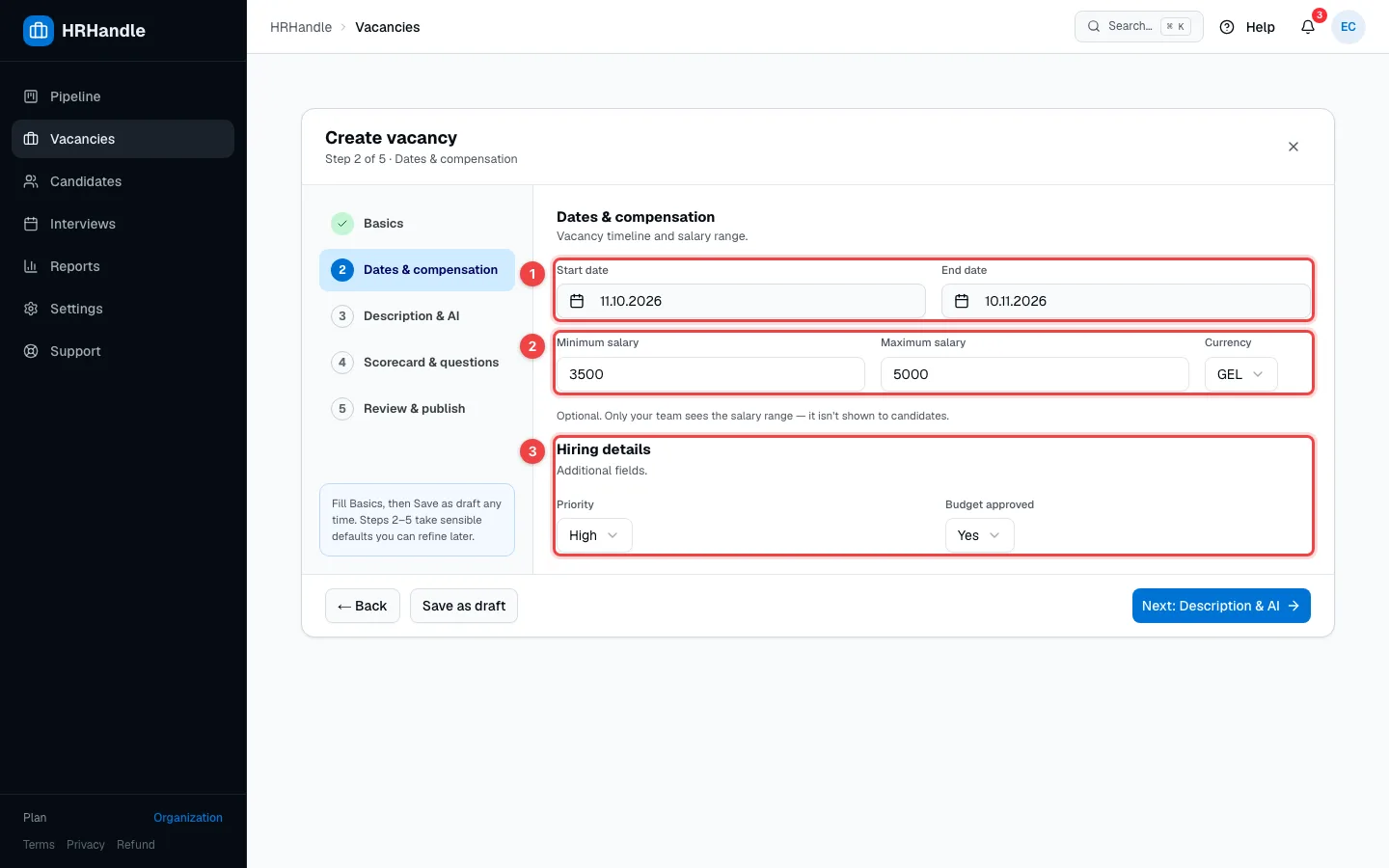
- Start date and End date. If you leave the start date empty, it becomes the day you create the vacancy. The night after the end date, HRHandle closes the vacancy automatically.
- Minimum salary, Maximum salary and Currency — all optional. Only your team sees the salary range; it isn't shown to candidates. The currency starts as your organization's local currency.
- Your custom fields. If your organization has added its own fields for vacancies, they appear here. Set them up in Custom fields.
Step 3 — Description & AI
Describe the role in three fields: About the Job (required to publish), Responsibilities and Requirements. Candidates see all three on the apply form and on your jobs page, and they're included when you share the vacancy on LinkedIn.
Let AI draft the description
Open AI assist — suggest job description sections to get a first draft based on what you entered in steps 1 and 2.
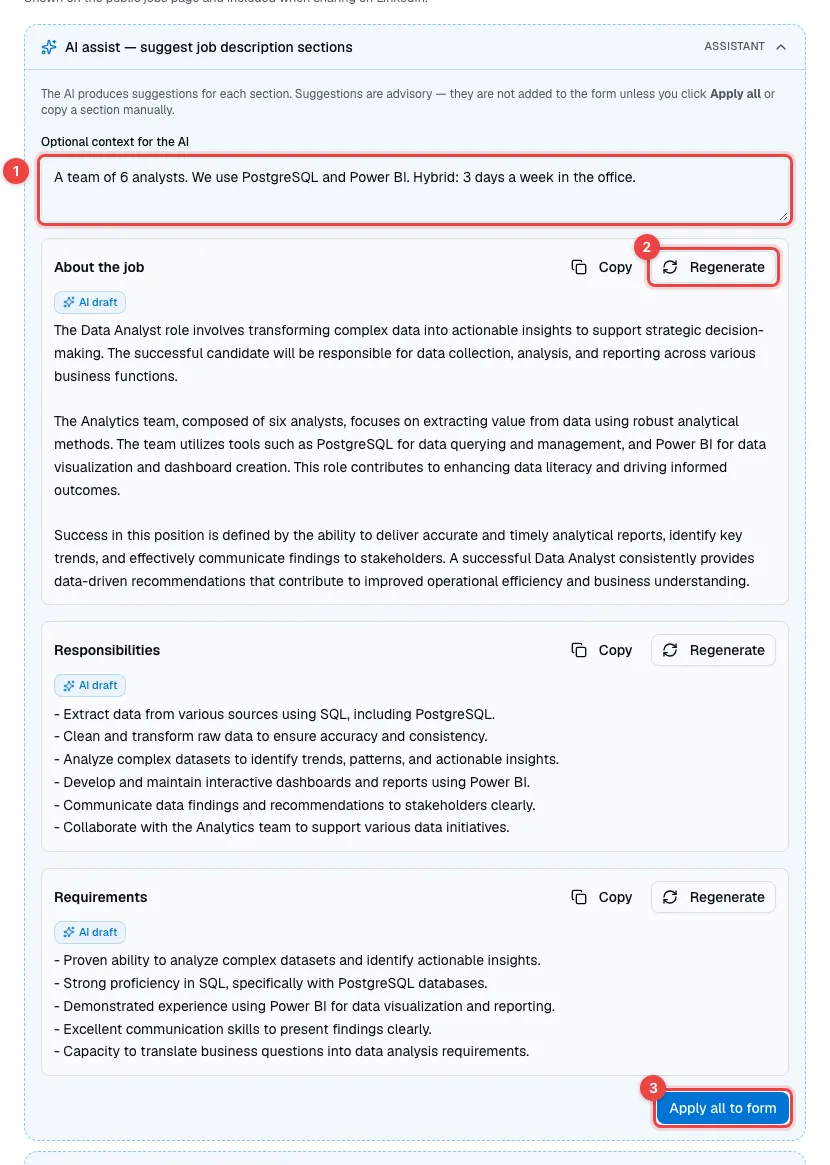
- Optional context for the AI — add what the AI can't know: team size, tools, office days.
- Generate, next to each section, writes a draft. Click Regenerate for a different version, or Copy to take just that section.
- Apply all to form puts the drafts into the fields below. Then edit them like any other text.
The AI writes in your organization's content language (see Organization settings), and its drafts are only suggestions — always read them before you publish.
Check the wording, then choose visibility
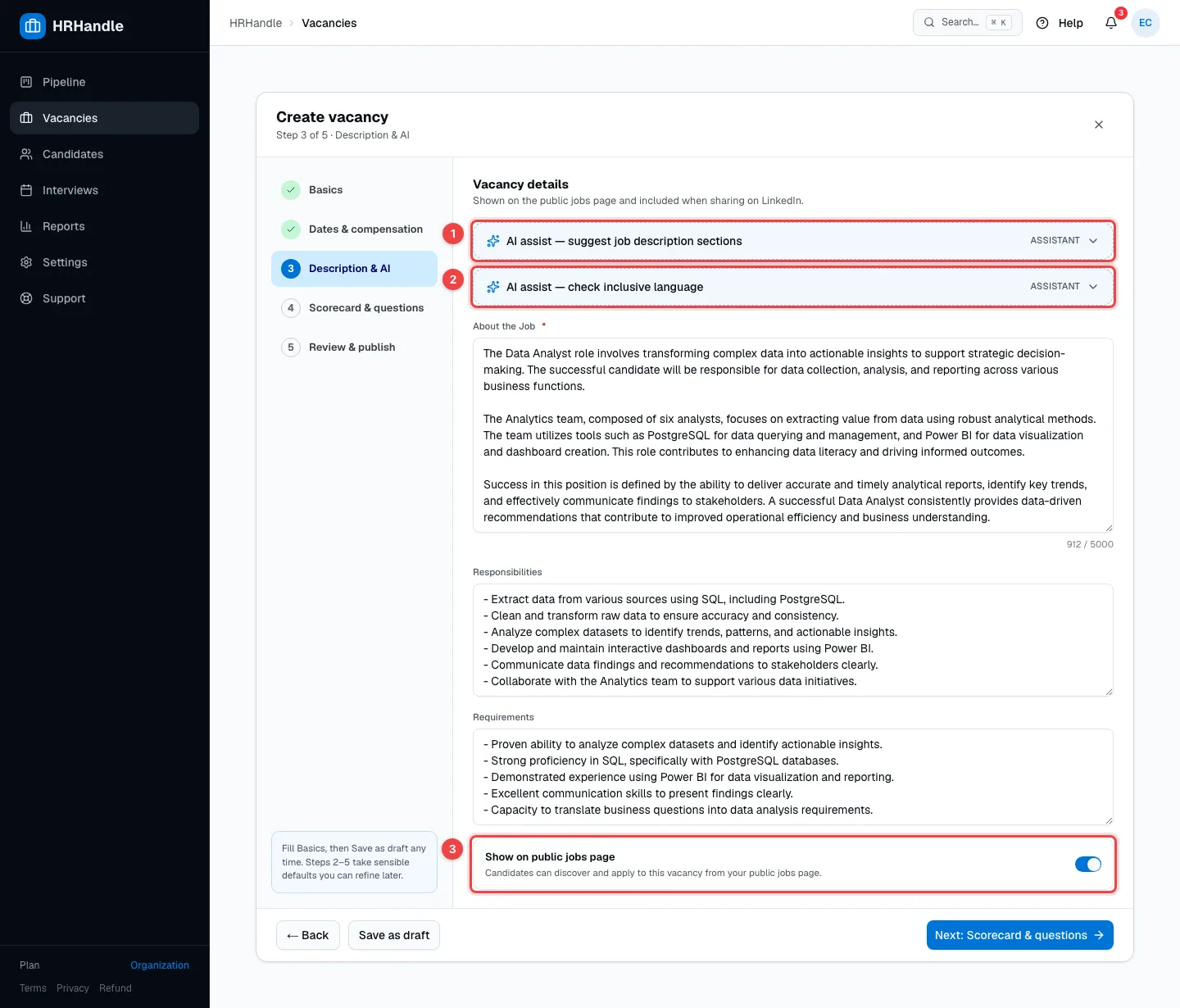
- AI assist — suggest job description sections — the panel from the previous picture, folded away.
- AI assist — check inclusive language — click Run check to look for phrases that may put some candidates off. It suggests alternatives but never changes your text.
- Show on public jobs page — lists the vacancy on your organization's jobs page and creates its apply link. If you leave it off, you can turn the apply link on later in the vacancy's Apply form tab.
Step 4 — Scorecard & questions
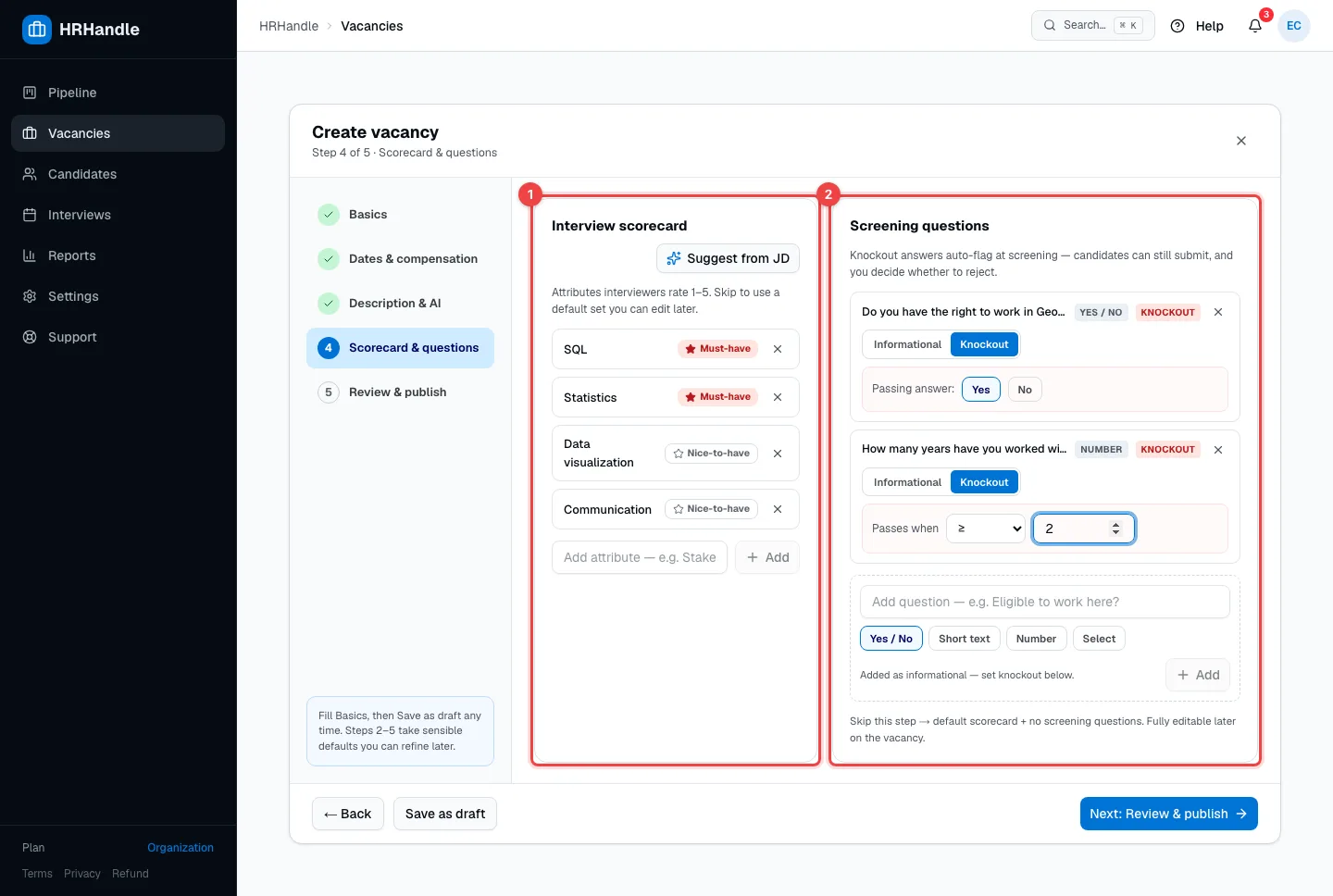
- Interview scorecard — the skills and qualities interviewers rate from 1 to 5 after an interview. Type an attribute and press Enter, or click Suggest from JD to let the AI propose some from your description. Click the star to switch an attribute between Must-have and Nice-to-have.
- Screening questions — questions applicants answer on the apply form. Choose the answer type (Yes / No, Short text, Number or Select) and click Add. Each question is Informational or a Knockout. For a knockout, set the passing answer — for example "Yes", or a number of at least 2. Applicants who answer differently can still apply: their application is flagged, and you decide. Short-text questions can only be informational.
You can skip this step. The vacancy then gets a default scorecard and no screening questions, and you can change both later on the vacancy page. More in Assessments and scorecards.
Step 5 — Review & publish
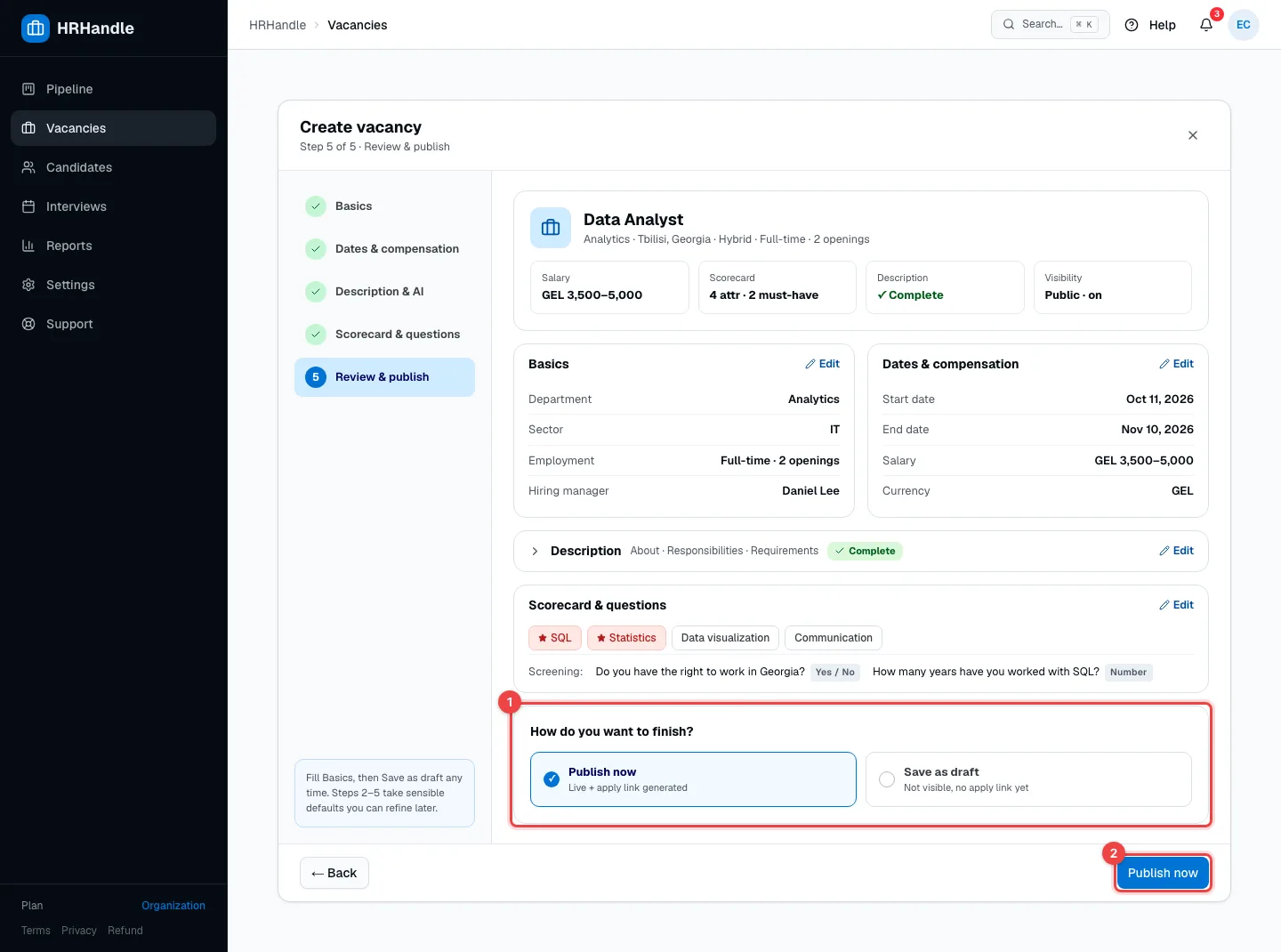
The review shows everything you entered. Click Edit on any section to jump back to that step.
- How do you want to finish? — Publish now opens the vacancy for applications. Save as draft keeps it hidden until you're ready.
- The button at the bottom follows your choice: Publish now or Save as draft.
To publish, About the Job must be filled in; a draft only needs a title.
| Status | What it means |
|---|---|
| Draft | Only your team can see the vacancy. It has no apply link yet. |
| Open | The vacancy accepts applications. With Show on public jobs page on, it's listed on your jobs page and has an apply link. |
You can change the status at any time on the vacancy page — including On hold, Closed and Archived. See The vacancy page.
What happens next
After you publish, the new vacancy's page opens.
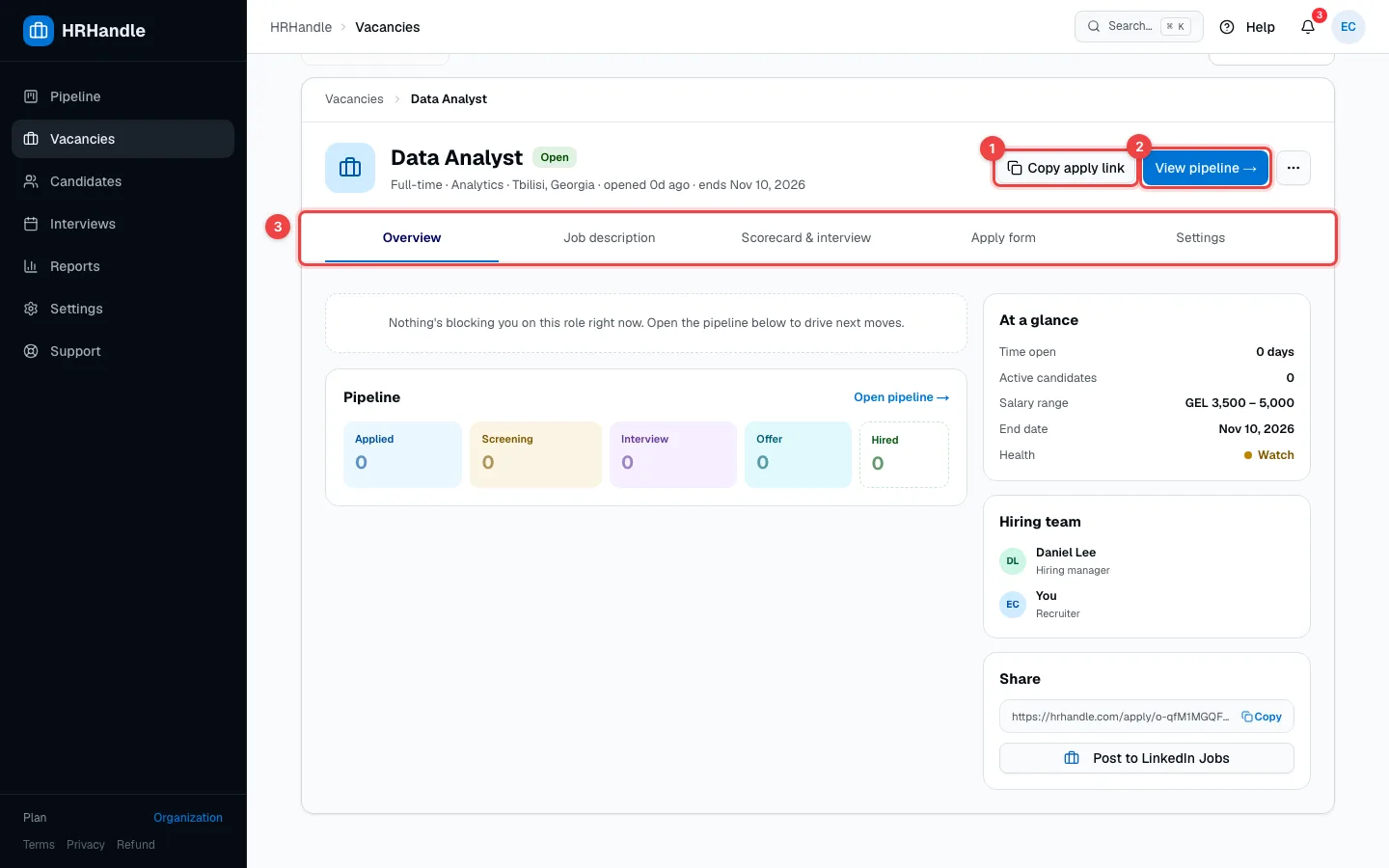
- Copy apply link — share the link anywhere: job boards, social media, your website or a message.
- View pipeline → — the vacancy's own board, where you move candidates from stage to stage.
- The tabs — everything you set in the wizard can be changed here: the job description, the scorecard, the apply form and the vacancy's settings.
Behind the scenes, HRHandle also:
- Gives the vacancy its own pipeline, copied from your Main pipeline (Settings → Main pipeline).
- Adds your screening questions to the apply form.
- Shows on the Overview tab how long the vacancy has been open and how many candidates are active.
From here, share the vacancy, add candidates or open the pipeline.