Guide
Team and roles
Invite teammates and decide what the owner, admins and members can do.
Invite your colleagues so you can hire together: share candidates, leave notes for each other, interview and assess as a team. Every person in your organization has one role — owner, admin or member — that decides what they can do.
The three roles
| Role | Who has it | What they can do |
|---|---|---|
| Owner | The person who created the organization. There is one owner. | Everything, including the organization settings, the two-factor authentication policy and turning AI Fit Analysis on or off. |
| Admin | Teammates invited as Admin. | Everything else: invite and manage teammates, billing, the hiring workflow (main pipeline, custom fields, email templates, rejection reasons), LinkedIn, Slack, Teams and Calendly, offers, sharing assessments, the audit log and the trash. |
| Member | Teammates invited as Member. | Day-to-day recruiting: vacancies, candidates, the pipeline, interviews, notes and assessments — a colleague's assessment becomes visible once they've submitted their own. Members don't see the team, workflow and data settings, and can't send offers. |
In short: members do the recruiting, admins also run the team and the workflow, and the owner controls the organization itself.
Invite a teammate
Owners and admins open Settings → Team.
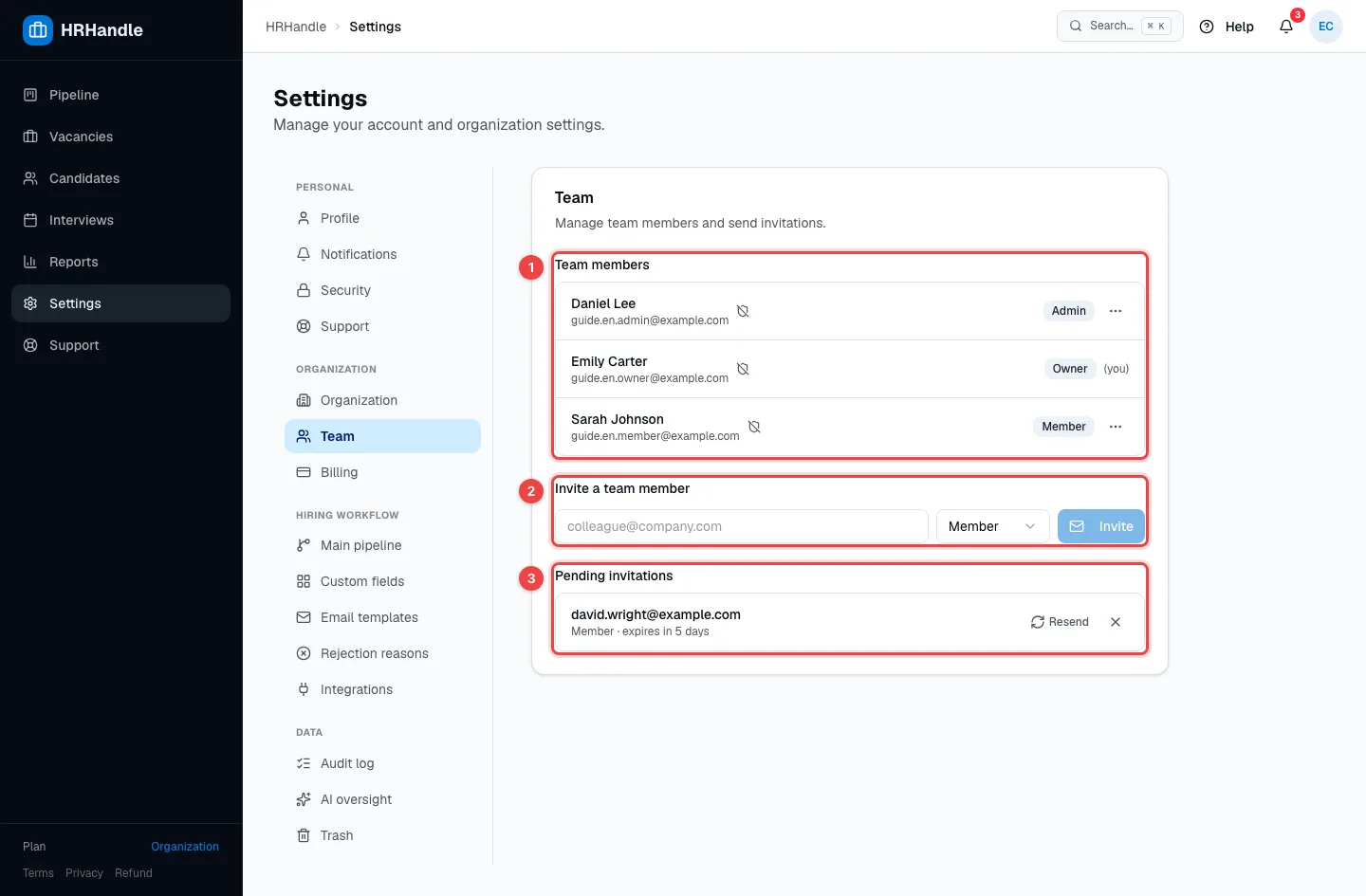
- Team members — everyone in your organization, with their email, role and a shield icon that shows whether they use two-factor authentication.
- Invite a team member — enter the colleague's email, choose Member or Admin, and click Invite. HRHandle emails them a link to join.
- Pending invitations — invitations that haven't been accepted yet. An invitation is valid for 7 days. Resend sends it again and gives it another 7 days; the × button cancels it.
The colleague opens the link, then signs up or signs in with the invited email address, and lands in your organization with the role you chose.
How many people you can have depends on your plan: 2 on the trial, 3 on Individual and 50 on Organization. If you've reached the limit, HRHandle won't send the invitation until you upgrade. See Plans and billing.
Change a role or remove someone
Click ⋯ next to a teammate.
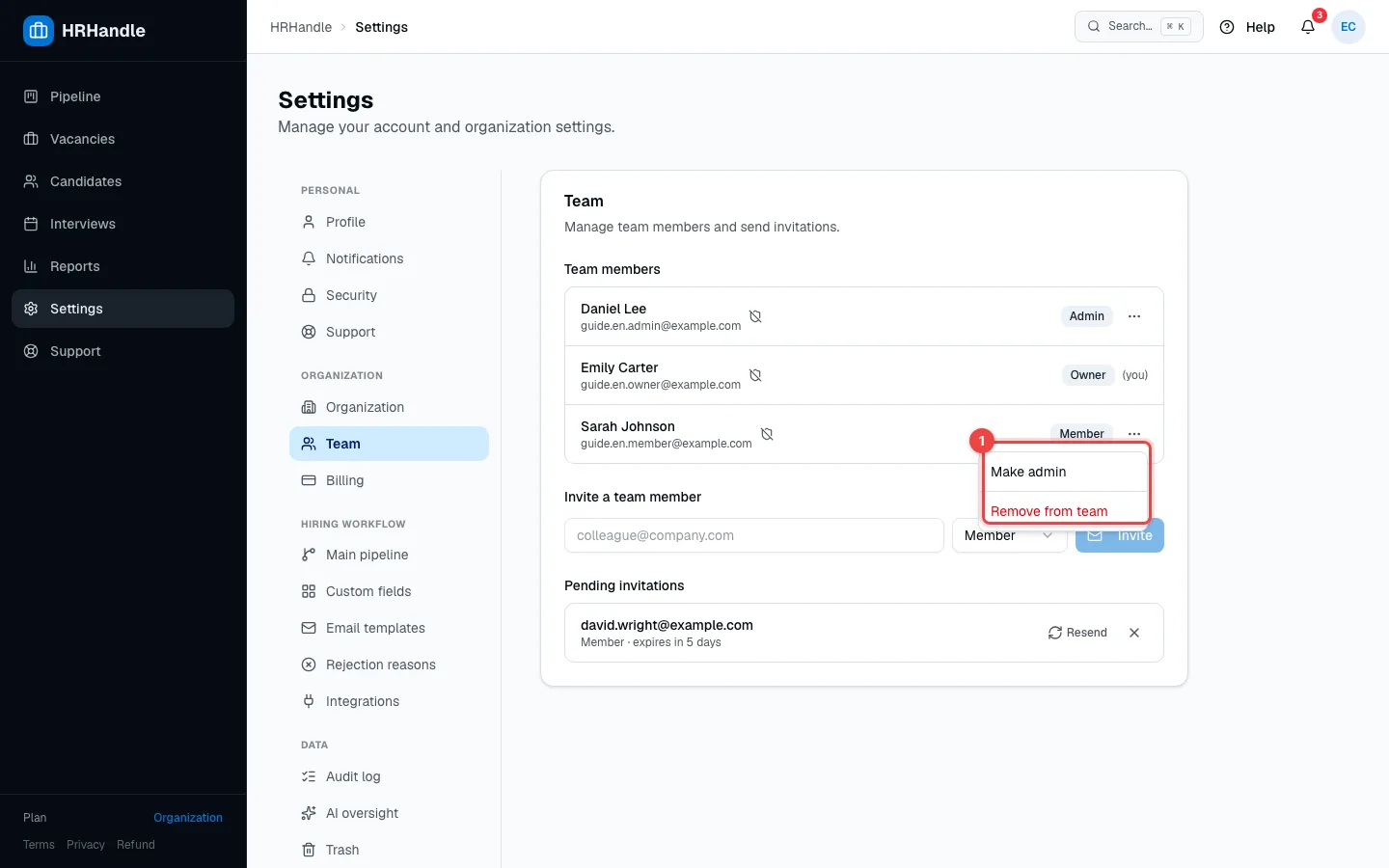
- Make admin / Make member — changes their role right away.
- Reset 2FA — appears if they use two-factor authentication. Use it when they've lost their phone: they set up a new authenticator at their next sign-in.
- Remove from team — they lose access to your organization immediately. Everything they created — candidates, notes, assessments — stays.
The owner's role can't be changed and the owner can't be removed.